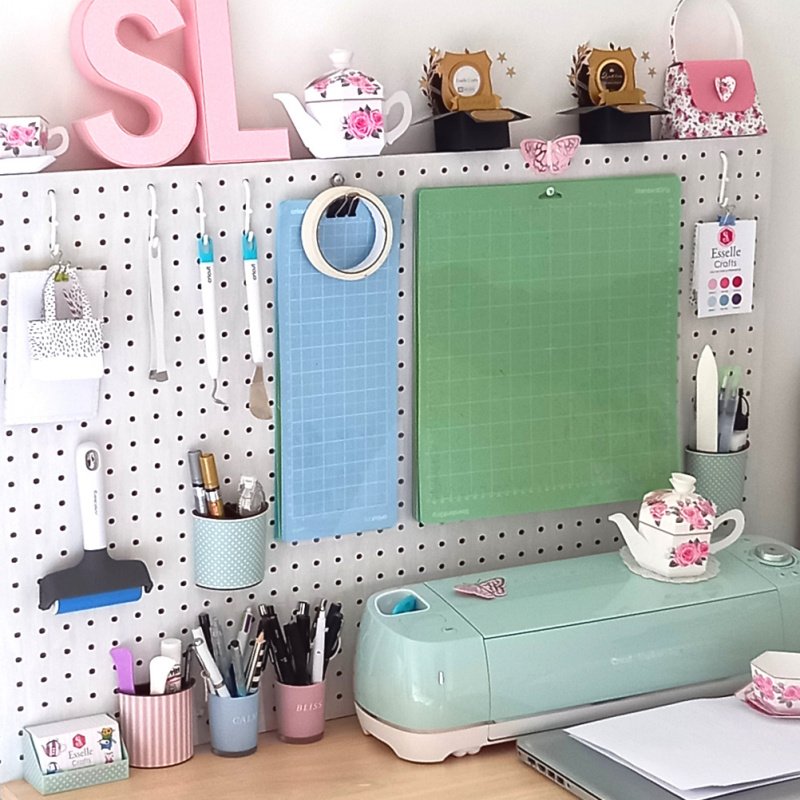
Do you have to move your heavy digital cutting machine every time you want to use it? I do, due to a current lack of space on my craft desk!
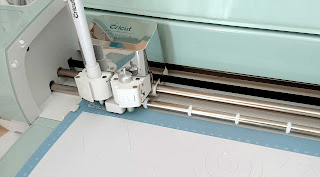
Up until now I’ve either had to pull my Cricut Explore forwards (not easy when it has rubber feet) or carefully lift it into position at the front of my desk so that there’s enough space behind it for the cutting mat to pass through without hitting my pegboard.
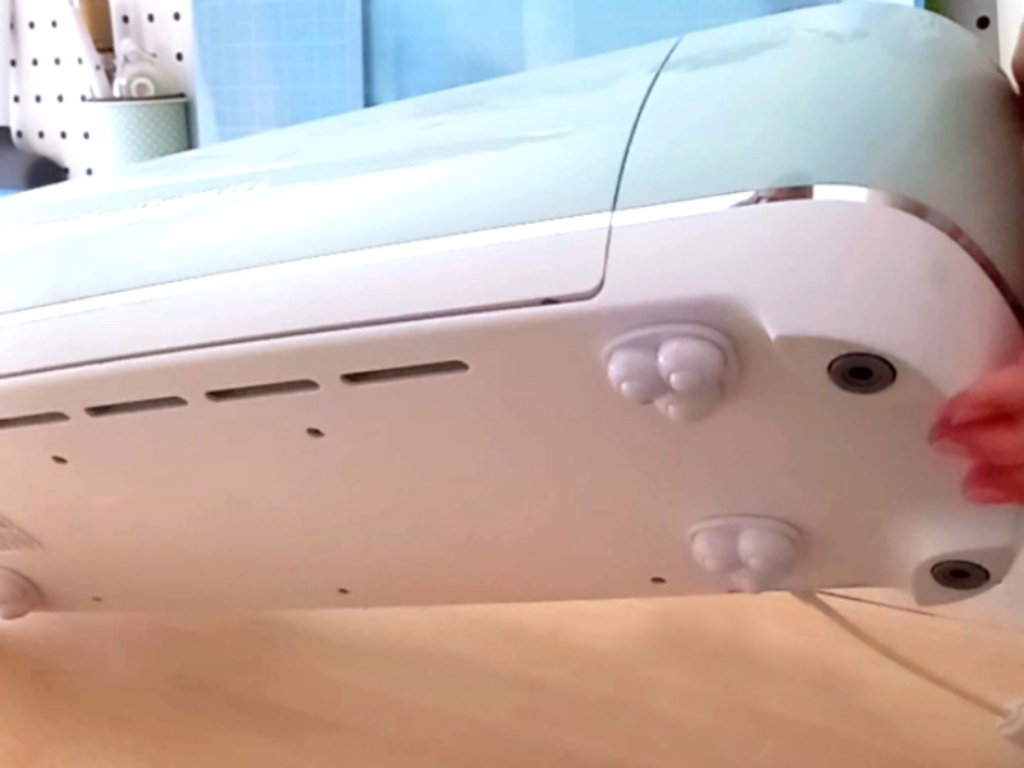
They come with little self adhesive sticky pads that easily peel off, so all I had to do was simply attach the wheels to the base of my Cricut machine, one in each corner.
Now my Cricut glides effortlessly, forwards and backwards, and I know that it’s not going to get damaged whenever I move it. Not only that, but it can also rotate 360° if I want it to!
Have you tried these little casters or something similar for your cutting machine? They really are a game-changer for me!
In this post, I will be answering some of the most frequently asked questions about using my digital files. I hope you find this information useful, but if you still have any questions, feel free to contact me through my Etsy shop and I will do my best to answer them.
Please note – all of my SVG files are tested in Cricut Design Space and are cut out using my Cricut Explore Air 2. I also cut out smaller versions (using the small dashed cuts SVG file) on my Cricut Joy. Results may vary with other cutting machines.
I have downloaded a zip folder, so how do I access the files?
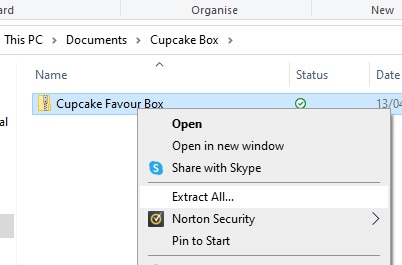
All of the files are compressed within a zip folder to make downloading easier. If you right click on the zip folder, then go to ‘Extract All’ this will save the files into a new, accessible folder.
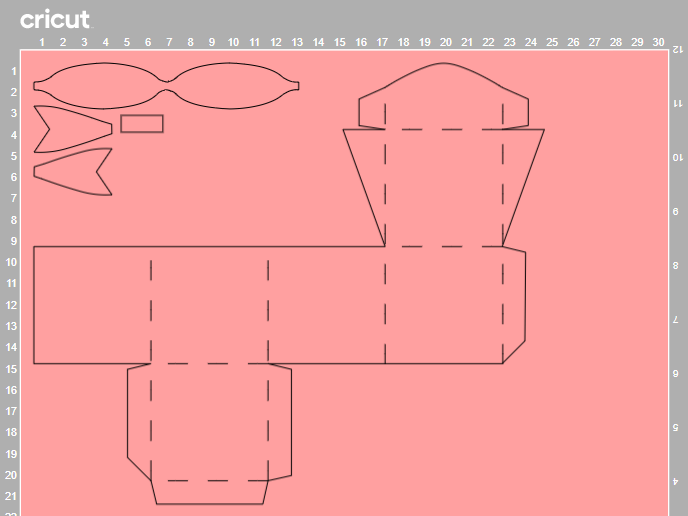
How do I upload the SVG files into Cricut Design Space?
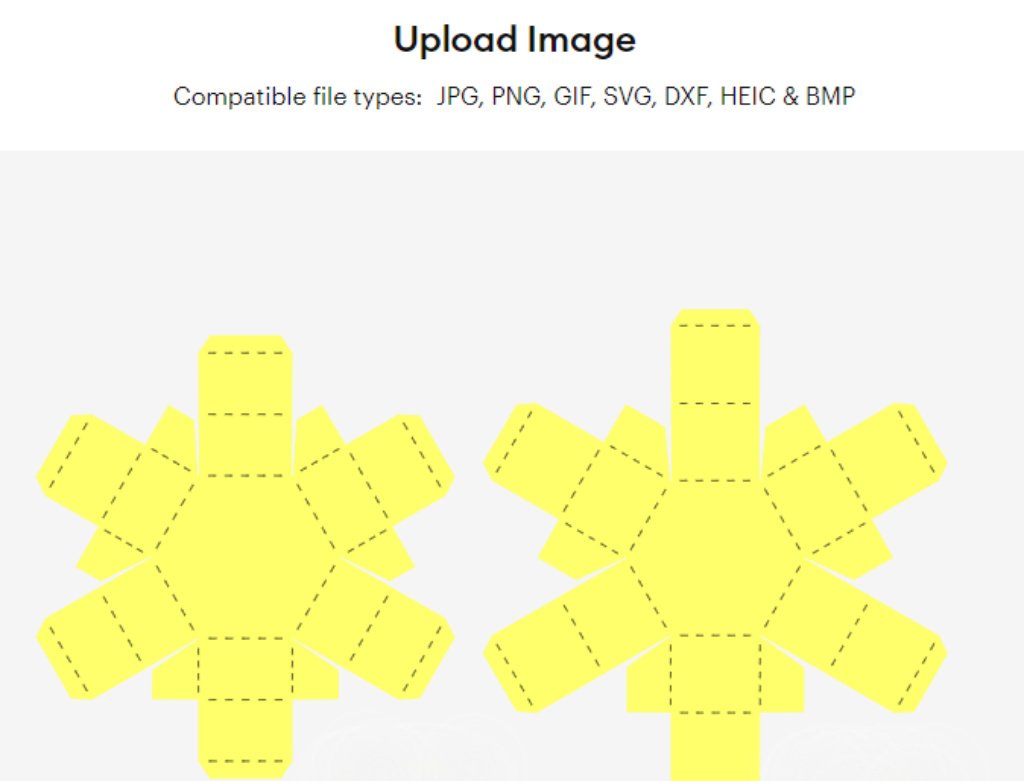
Once you have Cricut Design Space open, click ‘New’ to create a new blank canvas. Then click ‘Upload’, then ‘Upload Image’ and ‘Browse’. You will then need to find the file that you want to work with.
There are two different SVG files. Which one do I use?
Most of my templates come as two different versions. One has solid score lines (_solid.svg), for cutting machines that can score, and one has the more traditional dashed lines, which your machine will cut out as small perforations. Select the version that you want to use, then click ‘Upload’, then ‘Add to Canvas’.
How do I resize my SVG files?
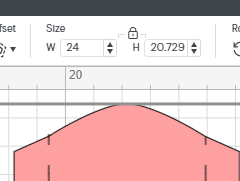
Firstly, make sure that everything on the canvas is selected, then either type in the measurement that you require in the size box (W ) or drag the resize arrow in the bottom right corner. Just make sure that the padlock icon is locked before you do this to ensure that all of the pieces stay in proportion.
How do I work with solid score lines?
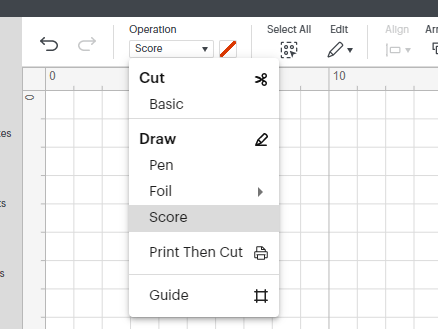
If you are using one of my _solid.svg files you will need to select each of the score lines, then go to ‘Operation’ and change them from ‘Basic Cut’ to ‘Score’.
If you don’t have a digital cutting machine that can score, use the other .svg file, which will cut the score lines as small perforations.
Why are my score lines showing up on a separate mat?
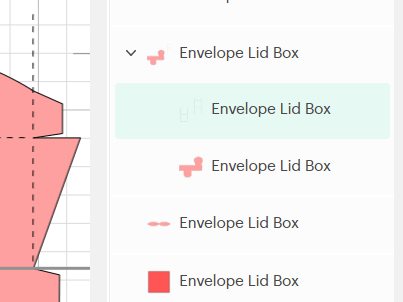
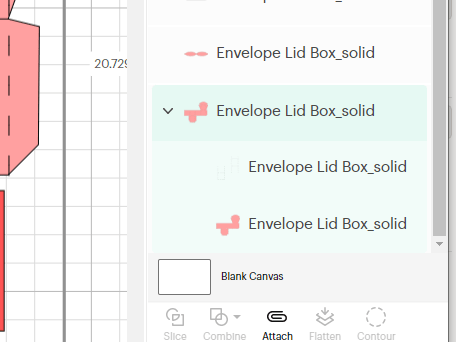
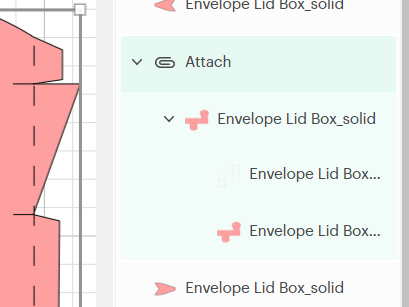
Firstly, you will need to select the score lines, together with the piece that they need to be attached to, then click ‘Attach’.
This will ensure that the score lines are attached to the piece on the mat.
I have also created this short video tutorial, showing the entire process, which might help:
I don’t have a digital cutting machine. Can I still make your products?
Yes, in most cases you can! The majority of my templates include at least one PDF template that can be printed and cut out by hand. Please check the individual listings in my Etsy shop for more information.
How do I resize the PDF template?
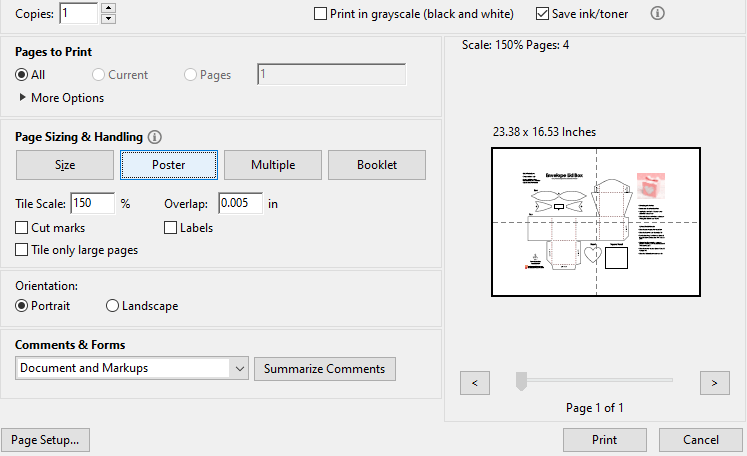
If you wish to reduce the size of the PDF template, click on ‘Custom Scale’ within the printer properties box and enter the value that you need (eg; 75%).
If you wish to increase the size of the PDF template, click on ‘Poster’ and enter the value that you need (eg; 150%). This will spread the template over several pages, and will include an overlap. If you need the template a lot bigger, then you can take the file to a print shop.
What weight of cardstock do you recommend for your projects?
For construction, I recommend using about 240gsm cardstock (88lb), but generally anything around 220 – 250gsm (80 – 92lb) will work just fine. If you choose to make your project smaller, then a lighter (thinner) cardstock may be required. Similarly, if you choose to make your project bigger, then a heavier (thicker) cardstock may be required. For some of the decorative panels, a lighter card or paper 90 – 120gsm (30 – 44lb) will work best, but I will always state in the instructions if this differs.
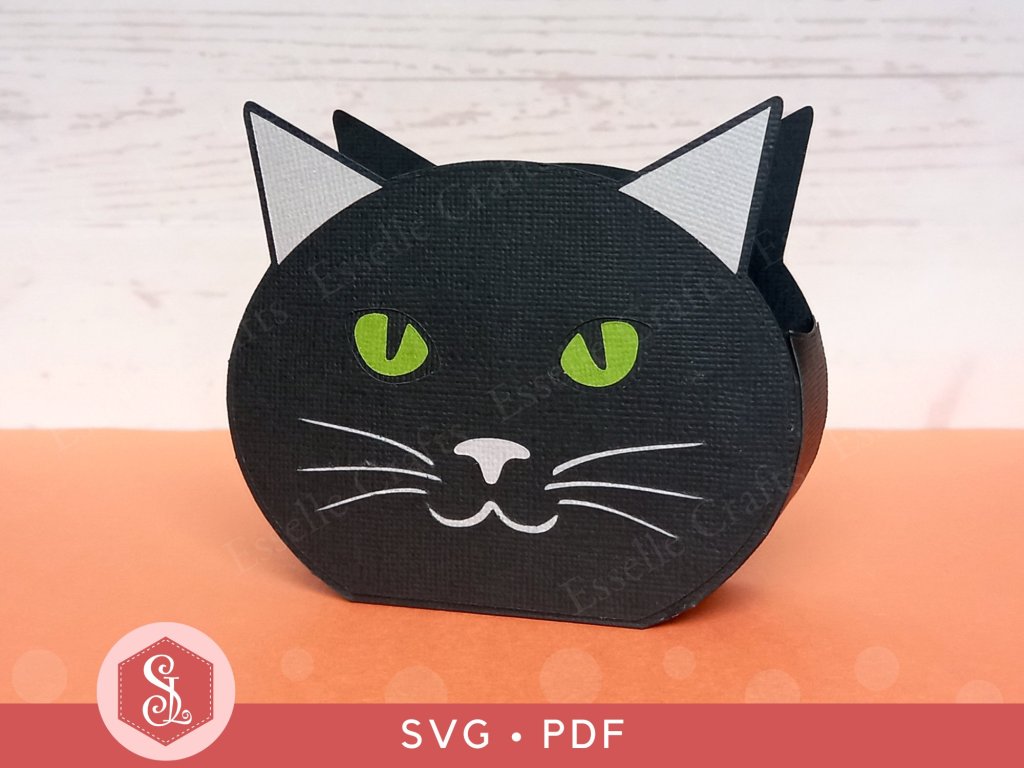
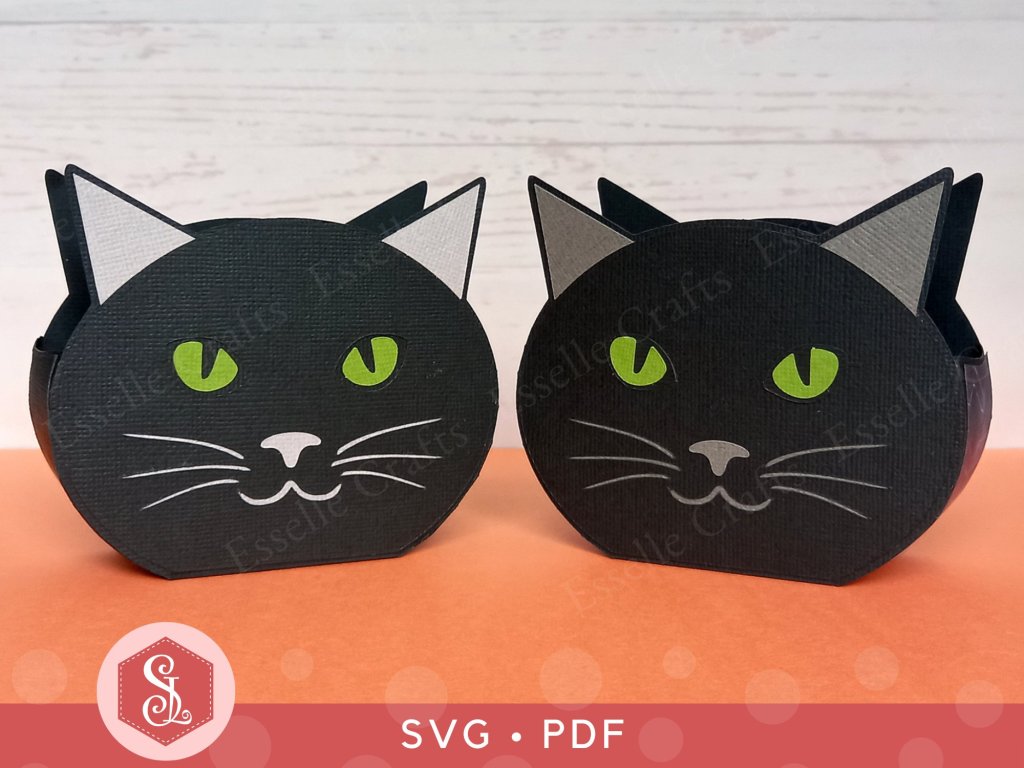
Following on from my previous post, where I introduced you to my Tabby Cat Favour Boxes, I have now made a Black Cat version – perfect for Halloween treats!
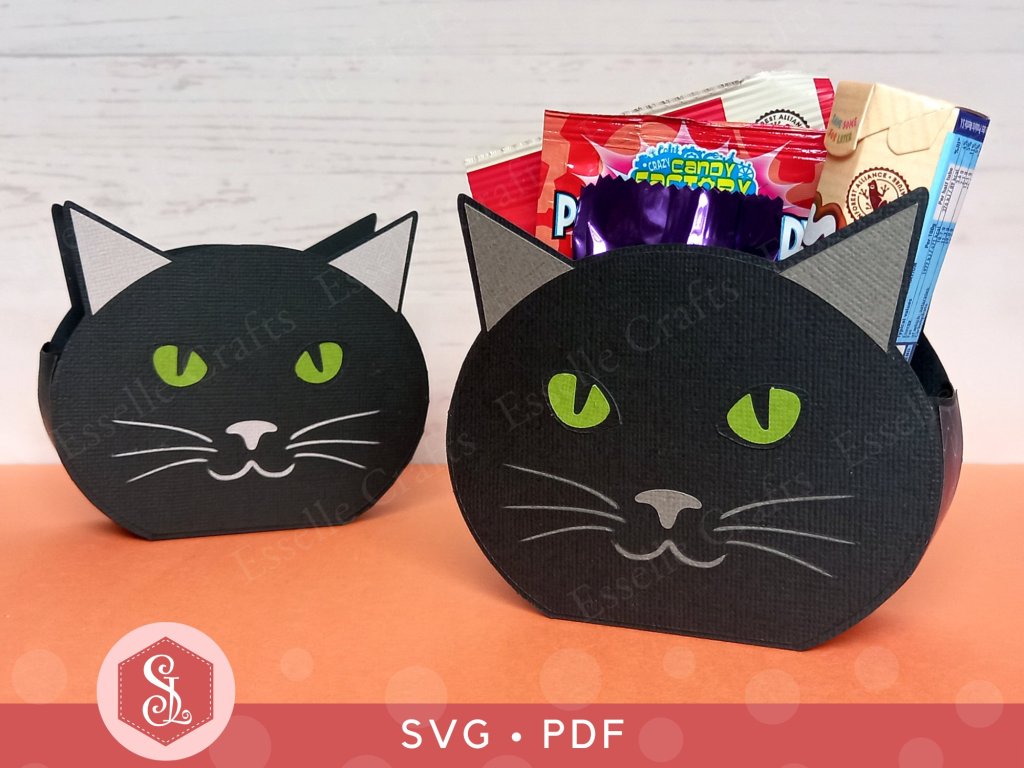
Easy to assemble, you can make the cat head box in any colour you wish (it doesn’t have to be black) and adapt the colour of the eyes, nose and whiskers to match! Ideal as little table favours or for a cat-themed party, you can fill them with sweets, chocolates or small gifts.
Available from my Etsy shop, the template comes as an SVG cut file, as well as a PDF if you prefer to cut out by hand.
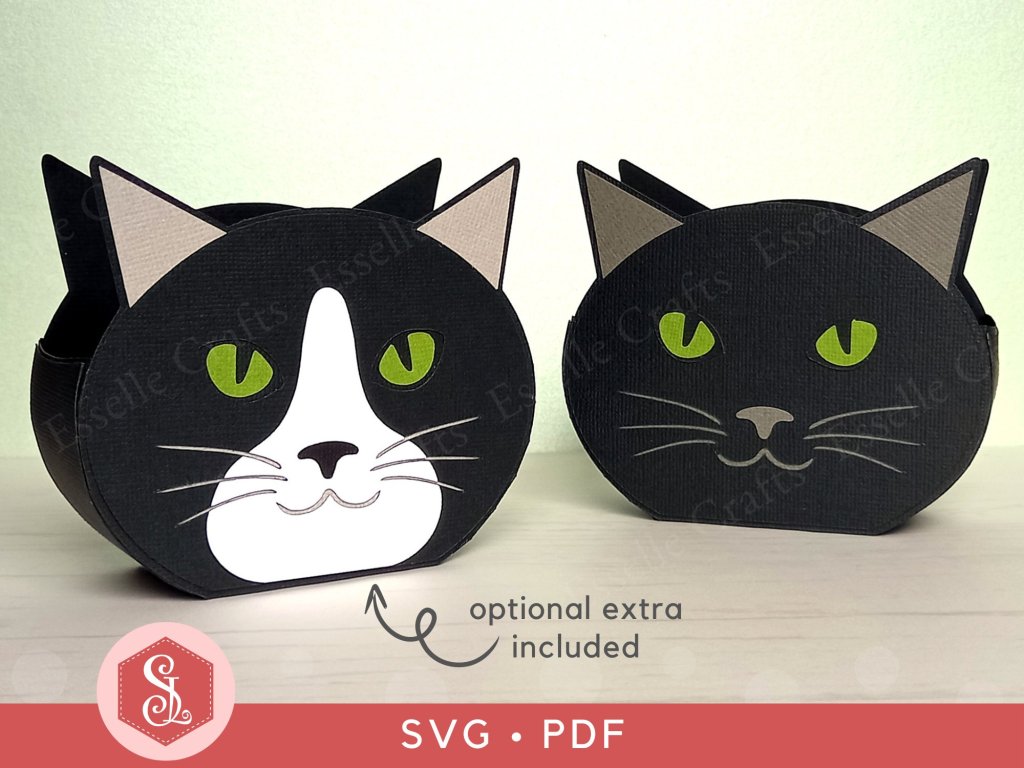
PLUS you get an optional extra white face patch to create a bi-colour cat face, like a tuxedo cat!
To make one of these cat boxes, you will need:
* Black Cat Favour Box template (SVG and PDF available) * Computer and printer to print the PDF templates and instructions * Double-sided, textured cardstock (220-250gsm / 80-92lb recommended) * Craft glue / double-sided tape
If you are not using a digital cutting machine, you will also need:
* Craft knife / scissors * Scoring tool * Ruler
Watch my video tutorial showing how to assemble the box and be sure to follow the tips below:
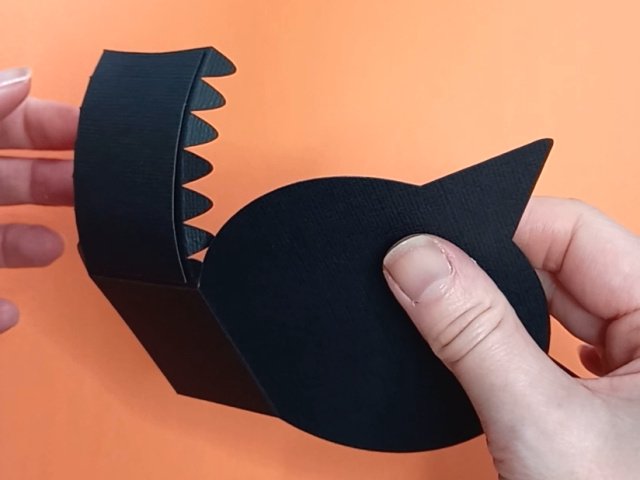
TIP 1 : After gluing the side panels on, gently curve the sides using your fingers or a bone folder before the glue dries. This will make assembling the box much easier and give it a neater finish.
TIP 2 : Instead of using plain black cardstock on the side panels, why not use a spooky halloween patterned paper! Here I’ve used a spider web design on the box on the left.
TIP 3 : Make sure that the (grey) whiskers / mouth panel and the (black) eyes panel completely cover the cut out sections. They should line up like this:
The cat box measures approximately 11cm (W ) x 9.5cm (H) x 4cm (D) / 4.3″ (W ) x 3.74″ (H) x 1.6″ (D), however, this is only meant as a guide, as the templates can easily be re-sized to suit your needs.
I hope that I have now inspired you to create your own little cat favour boxes (whether black or tabby) and I can’t wait to see what you fill them with!
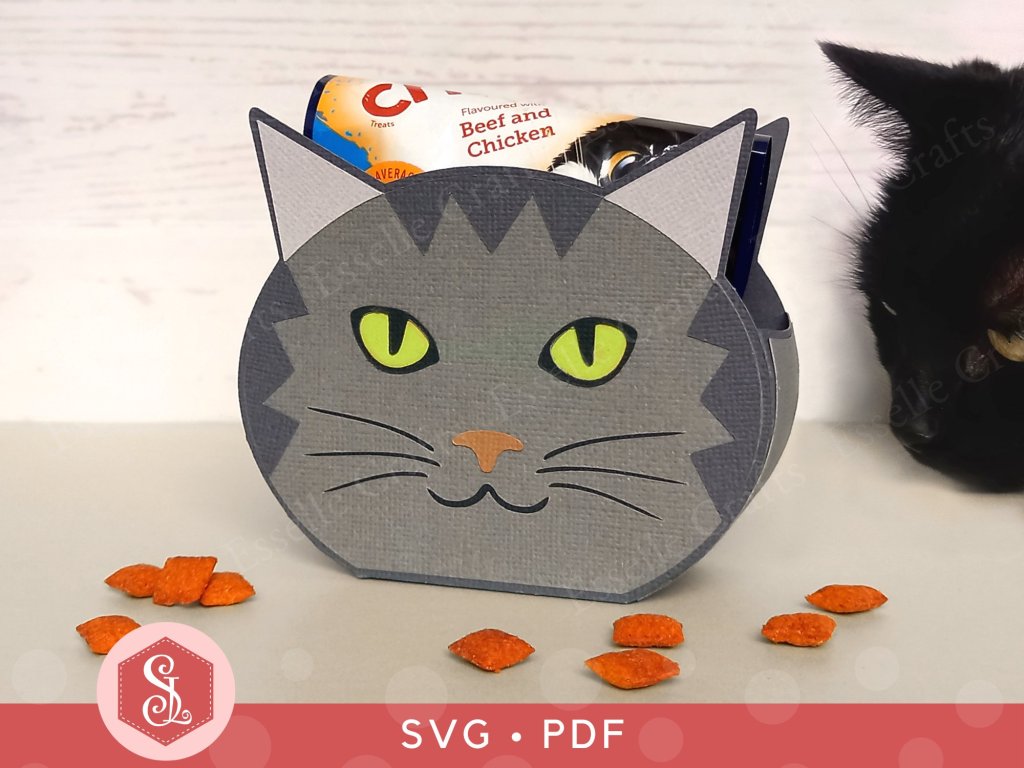
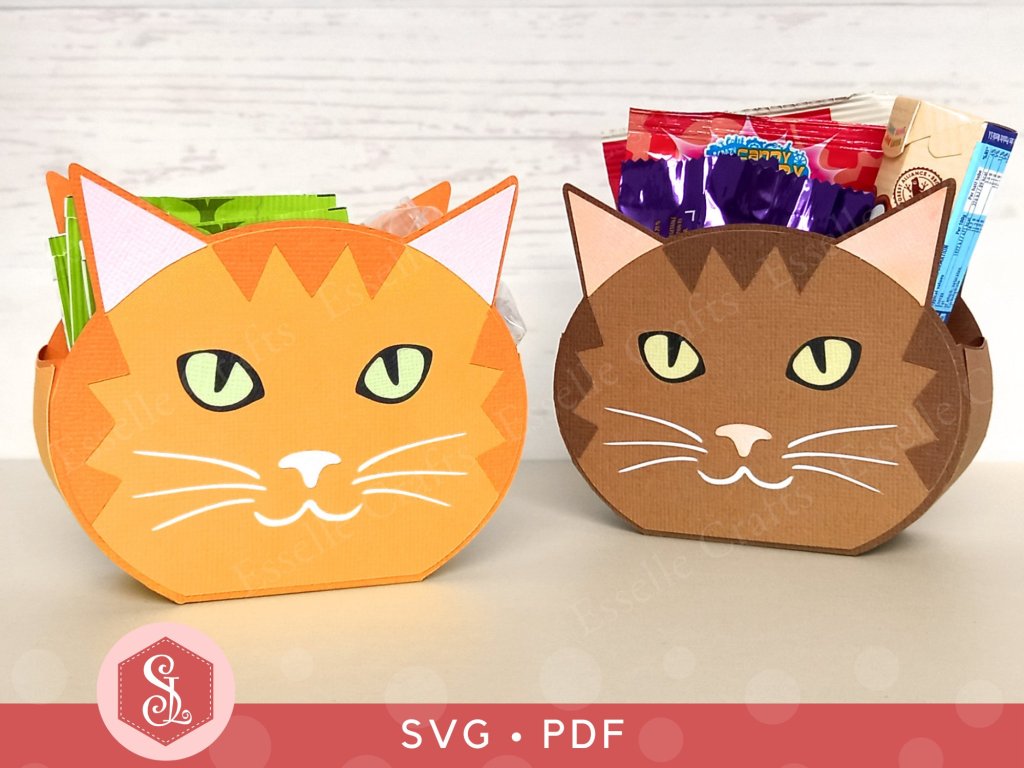
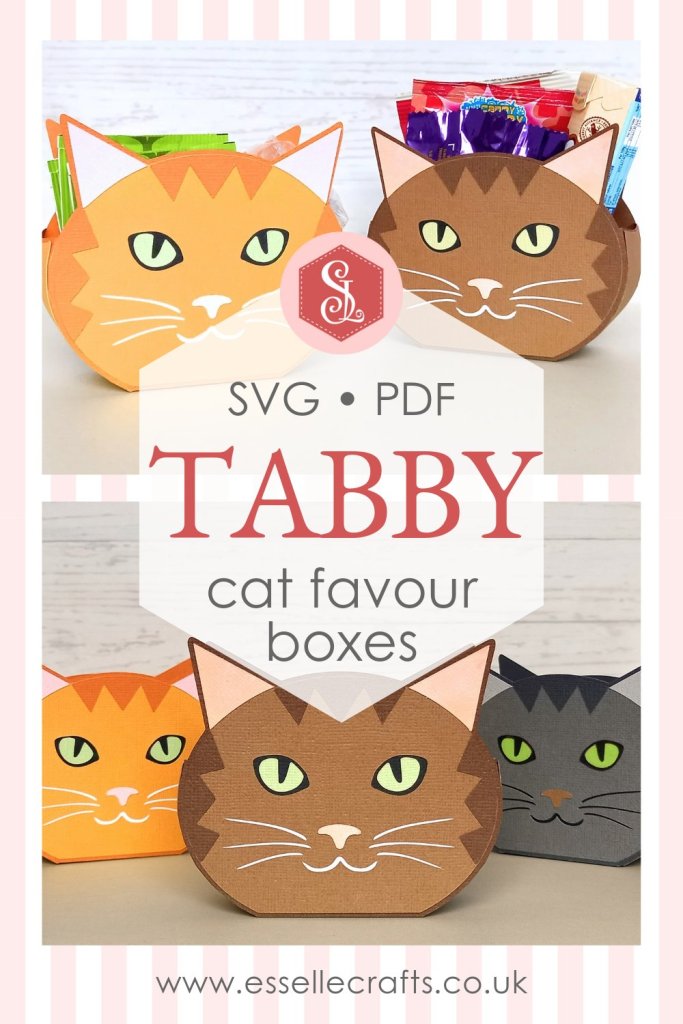
These little Tabby Cat Favour Boxes make the perfect gift box for any cat lover! Easy to assemble, you can make the tabby cat head in any colour you wish and adapt the colour of the eyes, nose, whiskers and stripes to match!
Ideal as little table favours or for a cat-themed party, you can fill them with sweets, chocolates or small gifts. You could even put some cat treats in them like I did – much to Prince’s delight! 🐈⬛
Available from my Etsy shop, the template comes as an SVG cut file, as well as a PDF if you prefer to cut out by hand.
PLUS you get an optional extra white face patch to create a bi-colour cat face!
To make one of these cat boxes, you will need:
* Tabby Cat Favour Box template (SVG and PDF available) * Computer and printer to print the PDF templates and instructions * Double-sided, textured cardstock (220-250gsm / 80-92lb recommended)* Craft glue / double-sided tapeIf you are not using a digital cutting machine, you will also need:
* Craft knife / scissors * Scoring tool * Ruler
Watch my video tutorial showing how to assemble the box and be sure to follow the tips below:
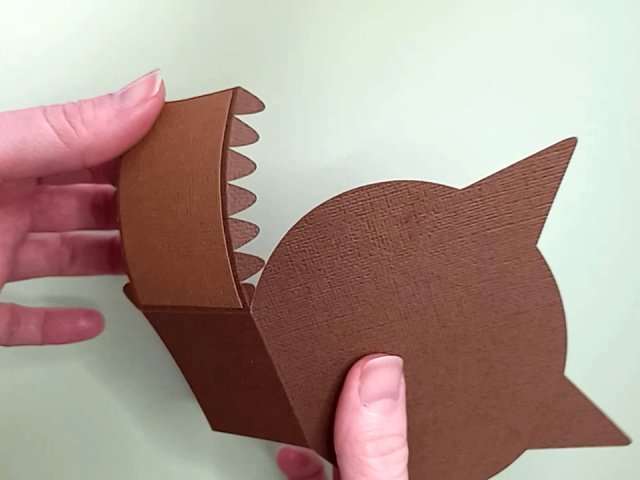
TIP 1 : After gluing the side panels on, gently curve the sides using your fingers or a bone folder before the glue dries. This will make assembling the box much easier and give it a neater finish.
TIP 2 : Make sure that the (white) whiskers / mouth panel and the (black) eyes panel completely cover the cut out sections. They should line up like this:
The cat boxes measure approximately 11cm (W ) x 9.5cm (H) x 4cm (D) / 4.3″ (W ) x 3.74″ (H) x 1.6″ (D), however, this is only meant as a guide, as the templates can easily be re-sized to suit your needs.
I hope that I have inspired you to create your own little Tabby Cat favour boxes using my template and I can’t wait to see what you fill them with!
Following a recent update, Cricut Design Space is experiencing issues when uploading SVGs. It is showing a red warning bar at the top of the screen, worded something like this:
After doing some research about this ‘sodipodi:namedview’ error, there appears to be a few things that can resolve it.
Firstly, the error is only occuring on the desktop version of Cricut Design Space, not on the mobile app. So, for a quick temporary fix, you can transfer the SVG that you want to use to your mobile device via email, then open the Cricut Design Space app on your mobile device and upload the SVG as usual. If you then open Cricut Design Space on your desktop again, you will see the SVG in your ‘Recent Uploads’.
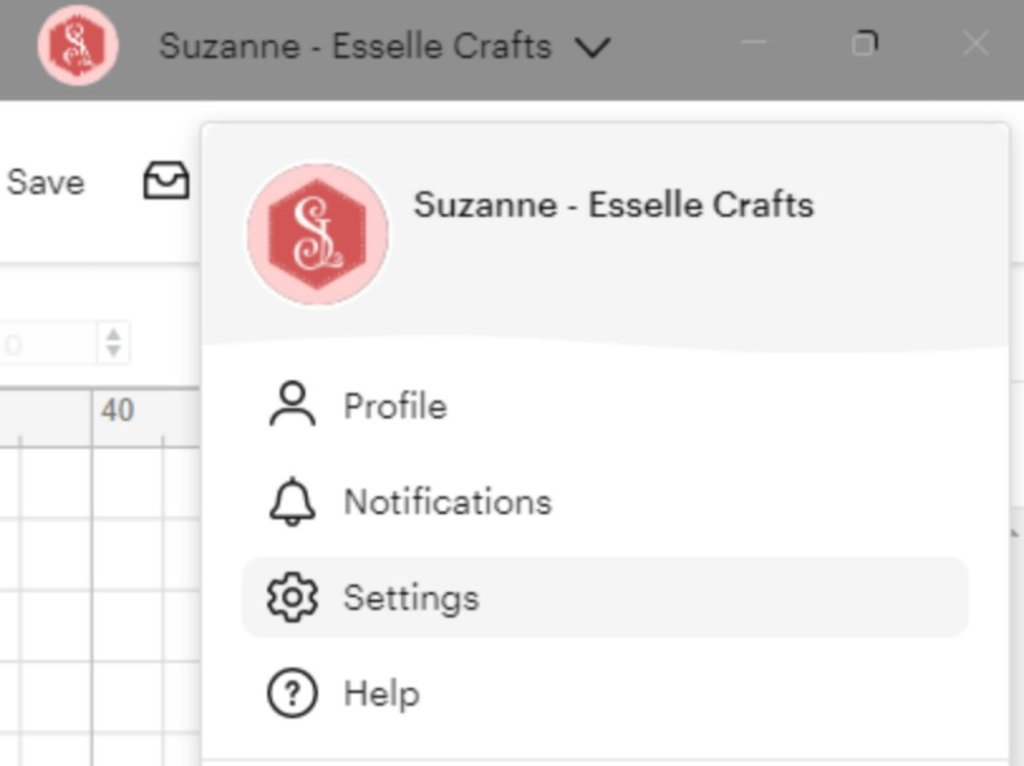
Secondly, (for a more permanent fix 🤞) your desktop version probably needs updating. This can take a bit of time, but to do this you need to click on your Cricut Design Space profile and select ‘Settings’.
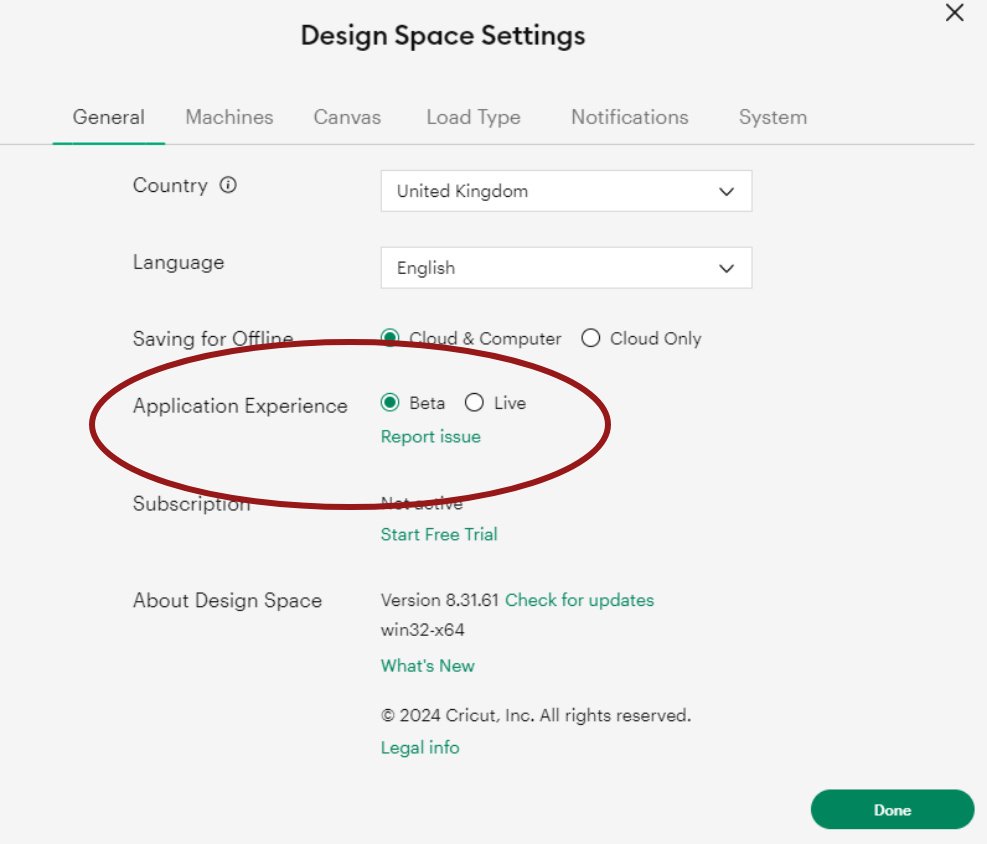
Then you need to check that ‘Beta’ is highlighted next to ‘Application Experience’.
Next you need to check that you have the most up-to-date version of Cricut Design Space – this needs to be version 8.31.61 (the previous version with the bug was 8.31.60 and I discovered a few more before that). Click ‘check for updates’ if yours shows anything other than Version 8.31.61
Cricut Design Space will then update and restart (you may also need to restart your computer to resolve any remaining issues), then hopefully you will be able to upload your SVGs in the usual way!
Hooray! 🎉
I really hope this helps to solve any problems you’re having with uploading your SVGs to Cricut Design Space. Do let me know how you get on with it 🙂
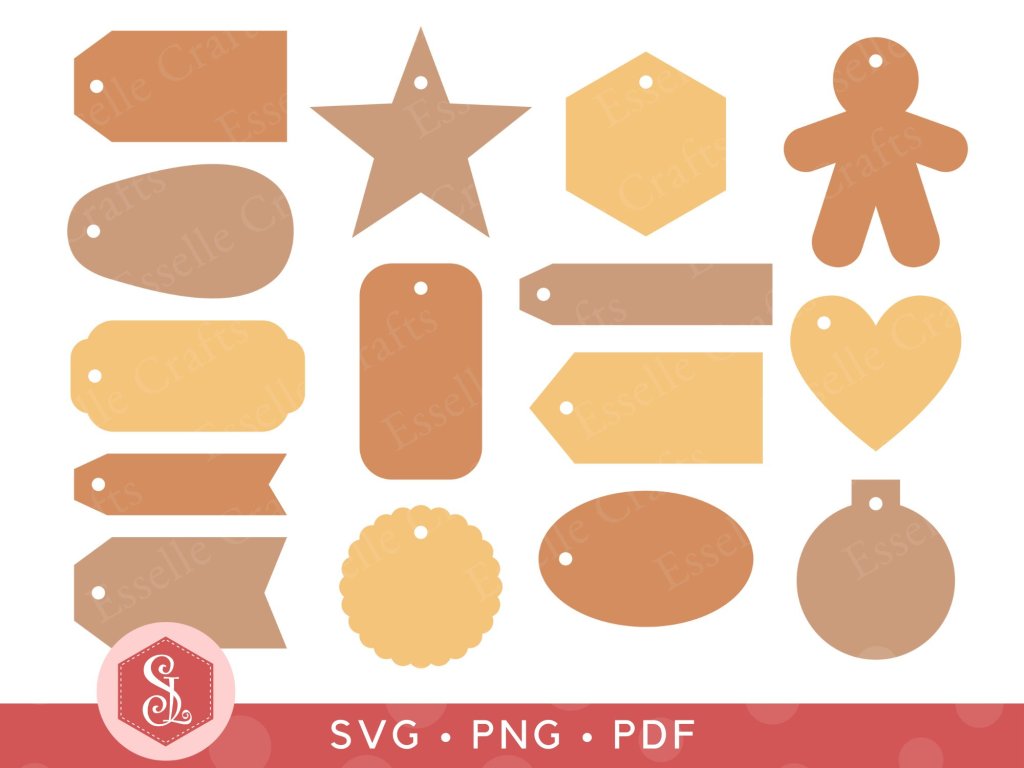
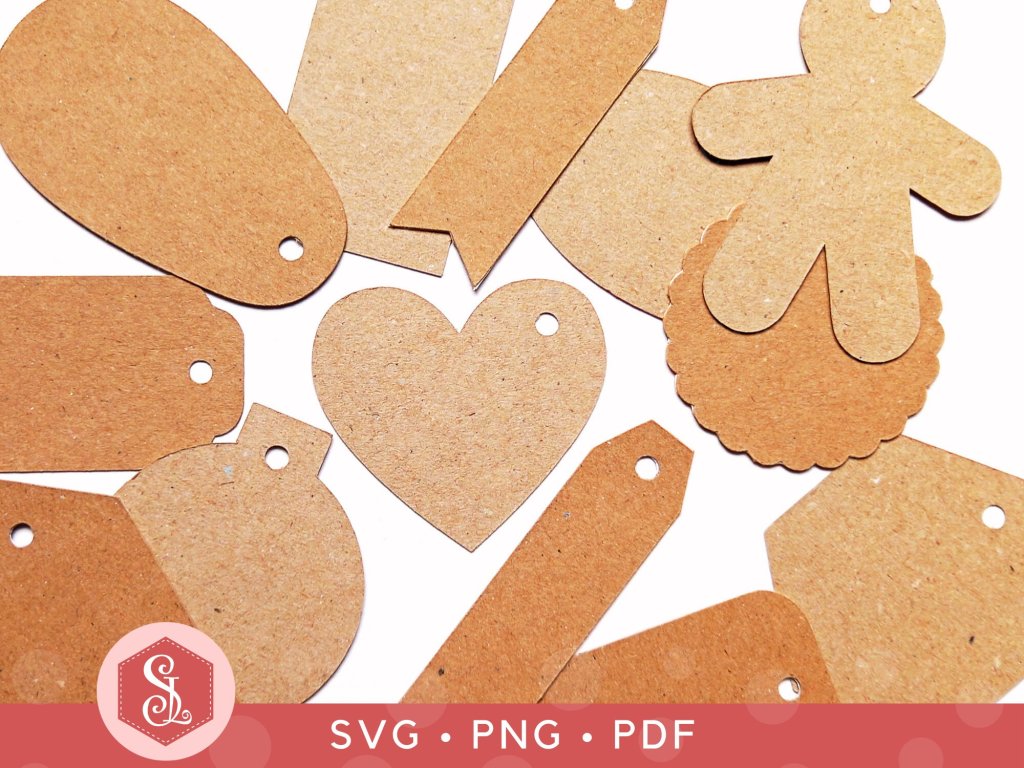
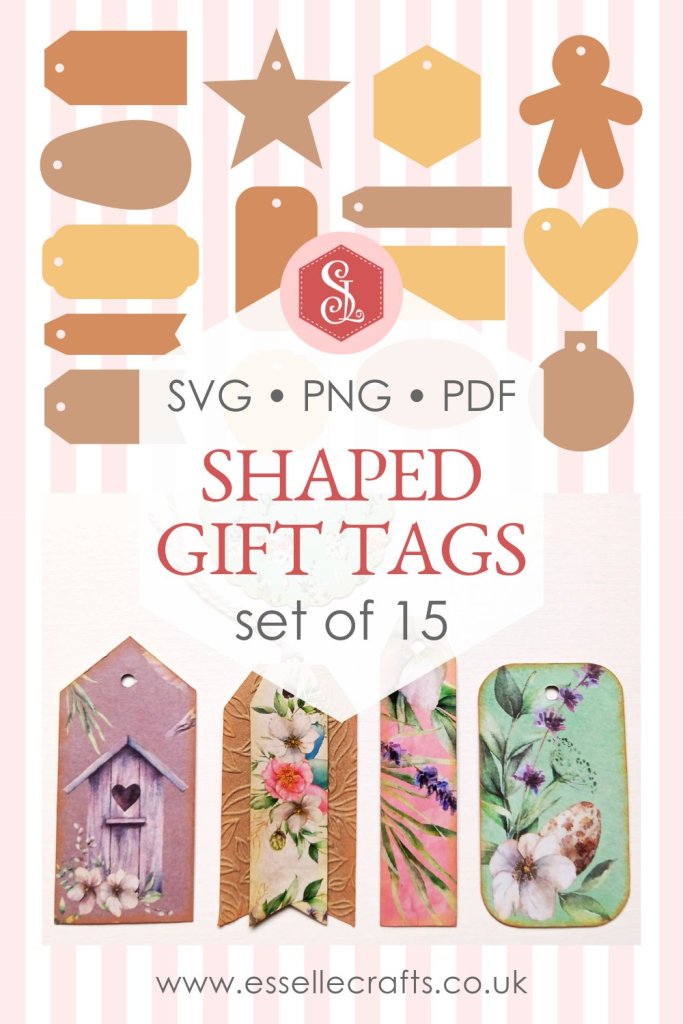
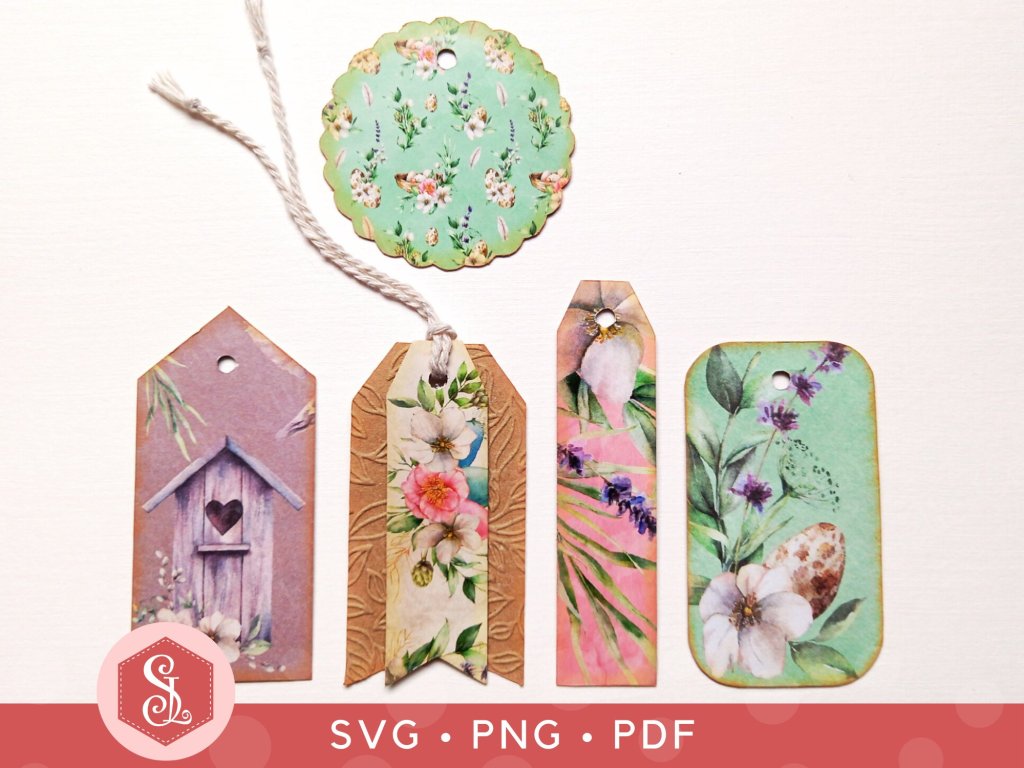
Get ahead of the gifting game with my fabulous gift tag bundle! You get all 15 shaped designs in SVG, PNG and PDF formats, giving you the option to cut them out using your digital cutting machine or to print them and cut them out by hand.
Using this instant download file, you can make and decorate your own gift tags for Chrsitmas! You can customize the tags for a themed celebration using your own colour scheme! Or how about using them for scrapbooking or journalling? There’s also card making, jewellery price tags, clothing labels and all sorts of other papercraft projects that they could be used for!
🎁 16 SVG cut files (one of each gift tag and the complete set of 15) These can easily be resized up or down to suit your needs without any loss of quality. I recommend setting the complete set of 15 tags to 28cm / 11″ (W ).
🎁 15 PNG files (one of each gift tag on a transparent background)
🎁 1 PDF file (with the complete set of 15 gift tags, black and white, outline only on A4) This can easily be resized up or down before printing to suit your needs.
🎁 1 numbered PNG file to help you to identify the individual gift tag shapes
They look stunning covered with vintage papers and I added some brown ink to the edges to create more of an aged appearance.
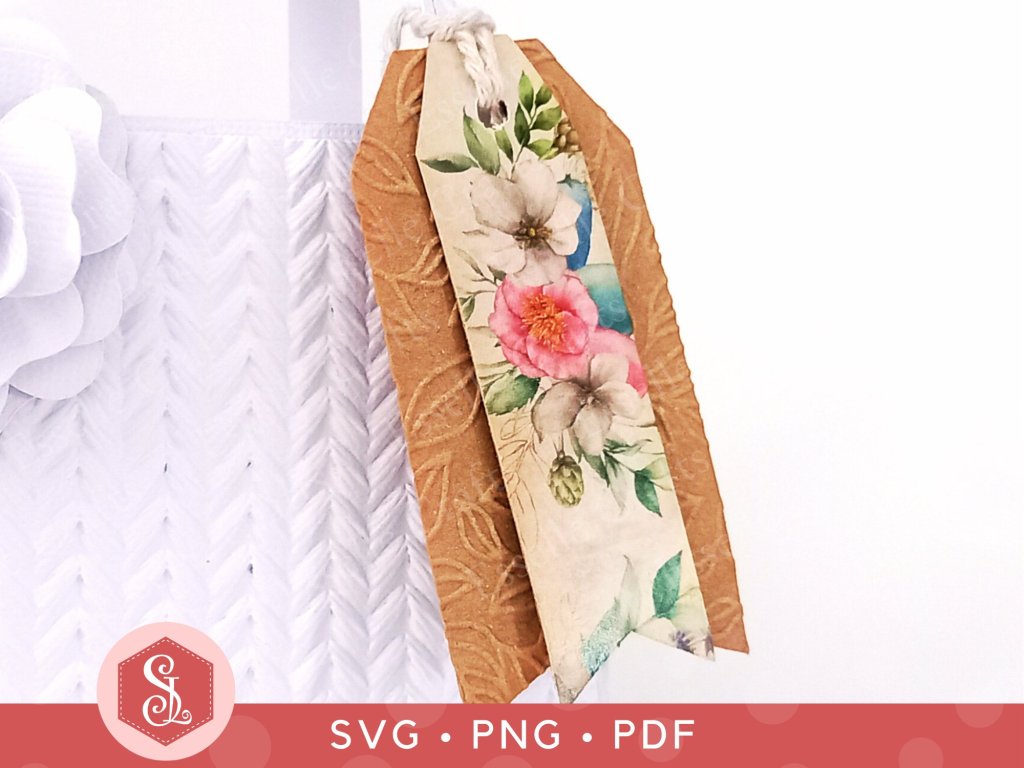
After adding a length of twisted twine to these two tags, I tied them to a handmade white gift bag.
What will you use the tags for? I can’t wait to find out!
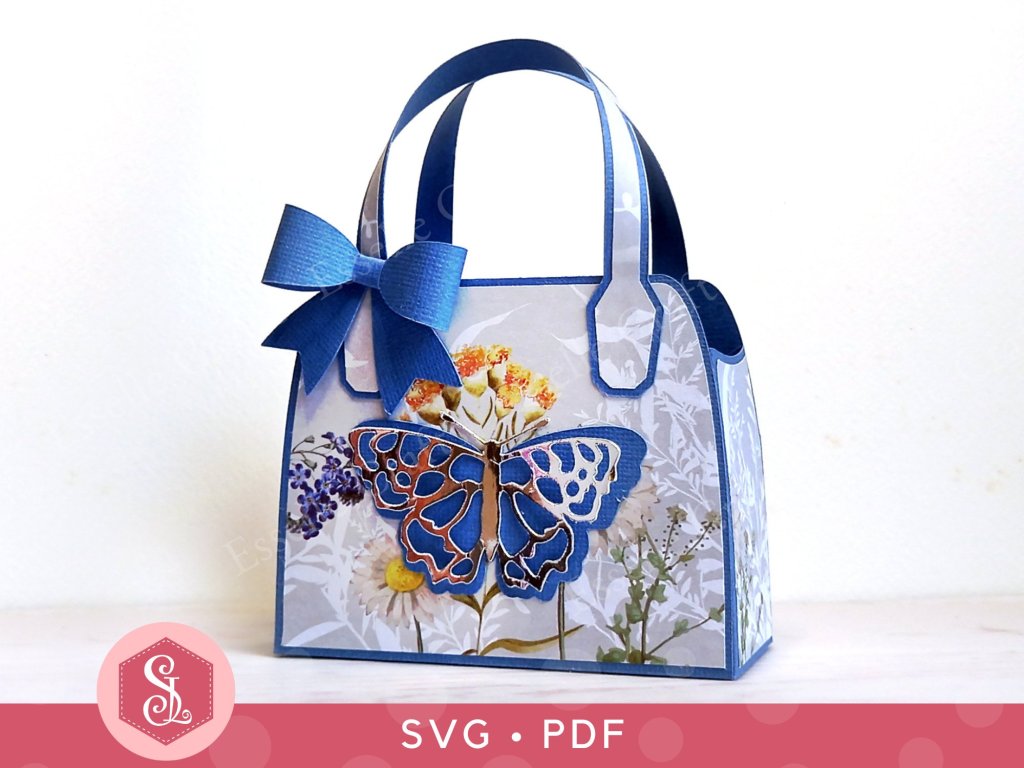
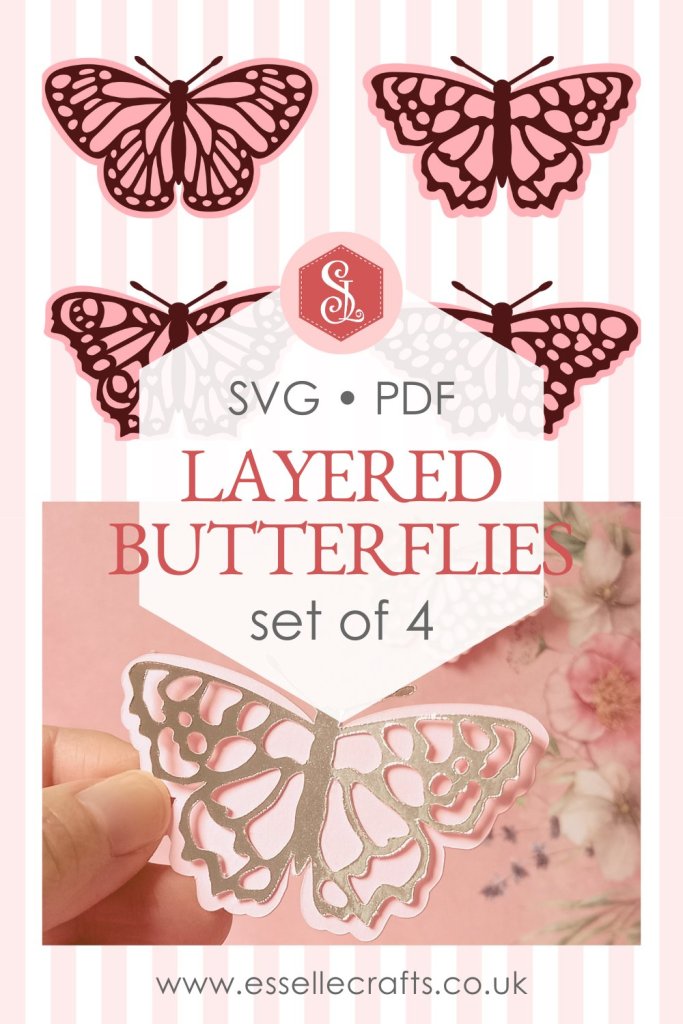
My Butterfly Favour Bag has been hugely popular recently and I’ve had several people ask if I have any other butterfly designs that could be added to the bag.
This is something that I’d considered doing when I designed the first one and so, as I loved doing it, I have designed three more!
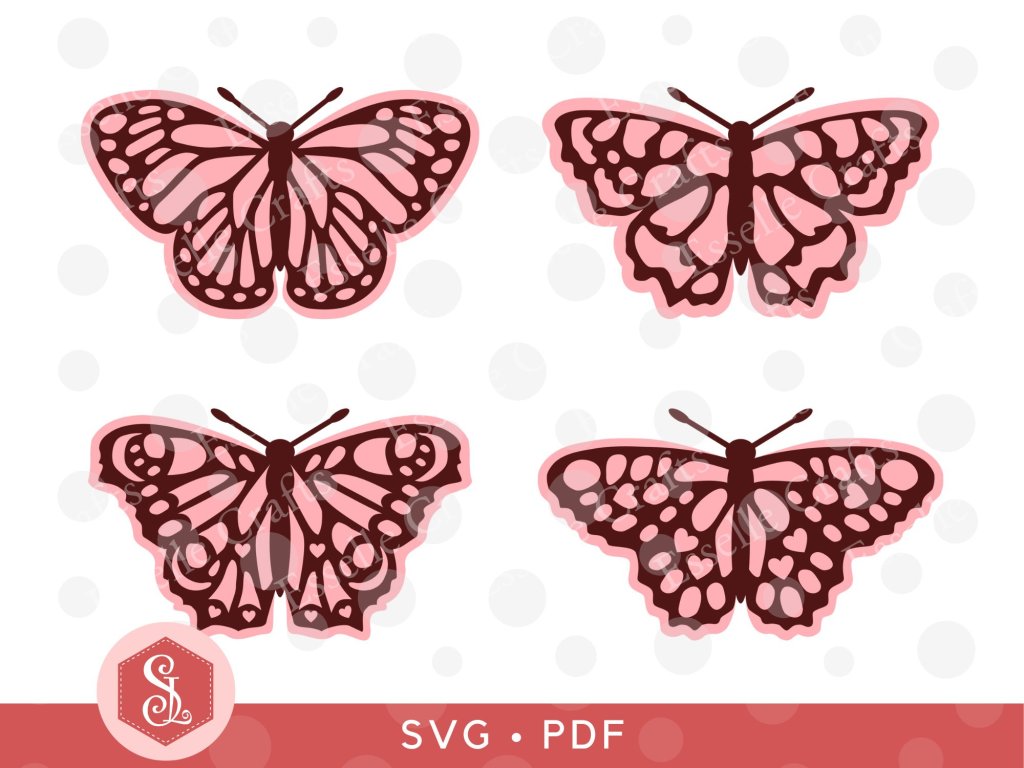
The first one (that comes with the bag) is a likeness of a Small Tortoiseshell butterfly and the others are likenesses of a Peacock, a Monarch and a Speckled Wood butterfly.
I have the whole set of four butterflies available in my Etsy shop as SVG cut files as well PDFs if you prefer to cut out by hand.
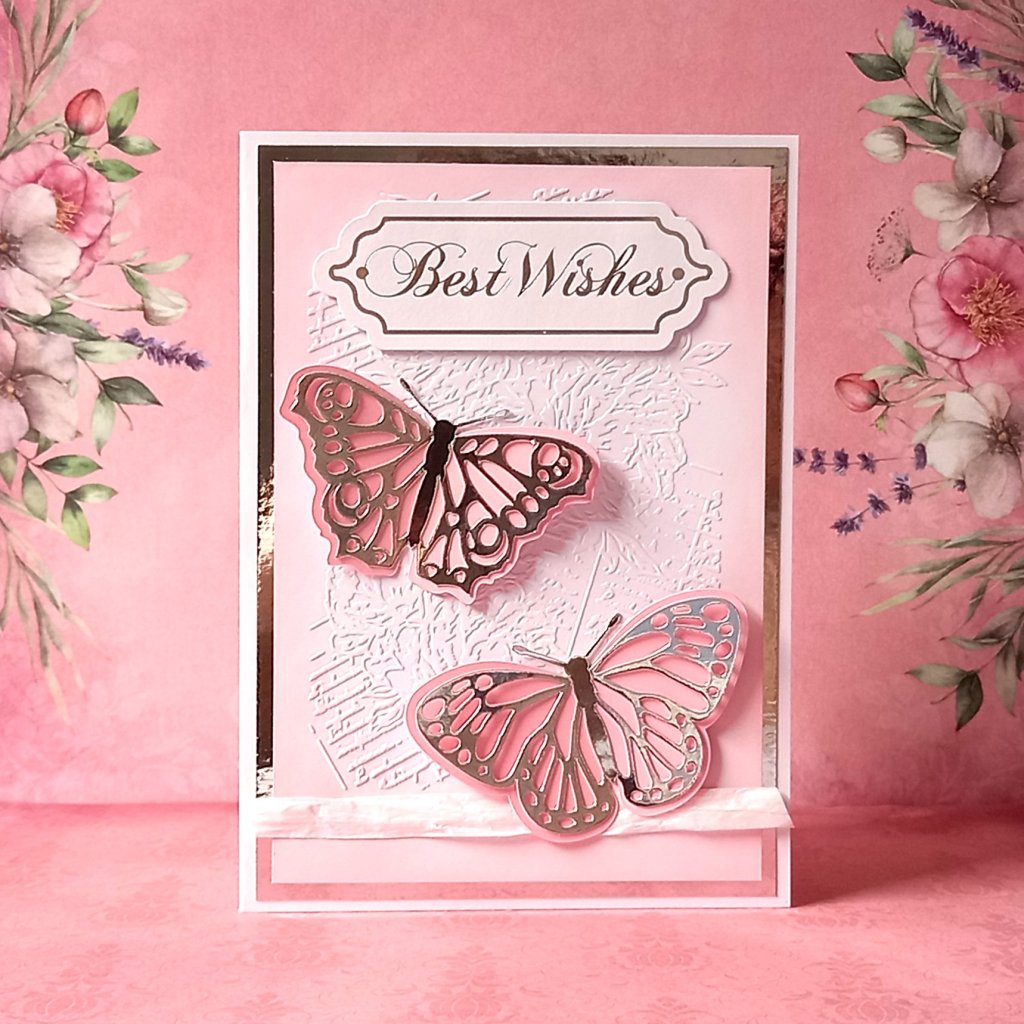
They are so delightfully versatile and, as well as adding them to the favour bags, they can be used for all sorts of different papercraft projects.
Here I’ve used two of them on a greeting card.
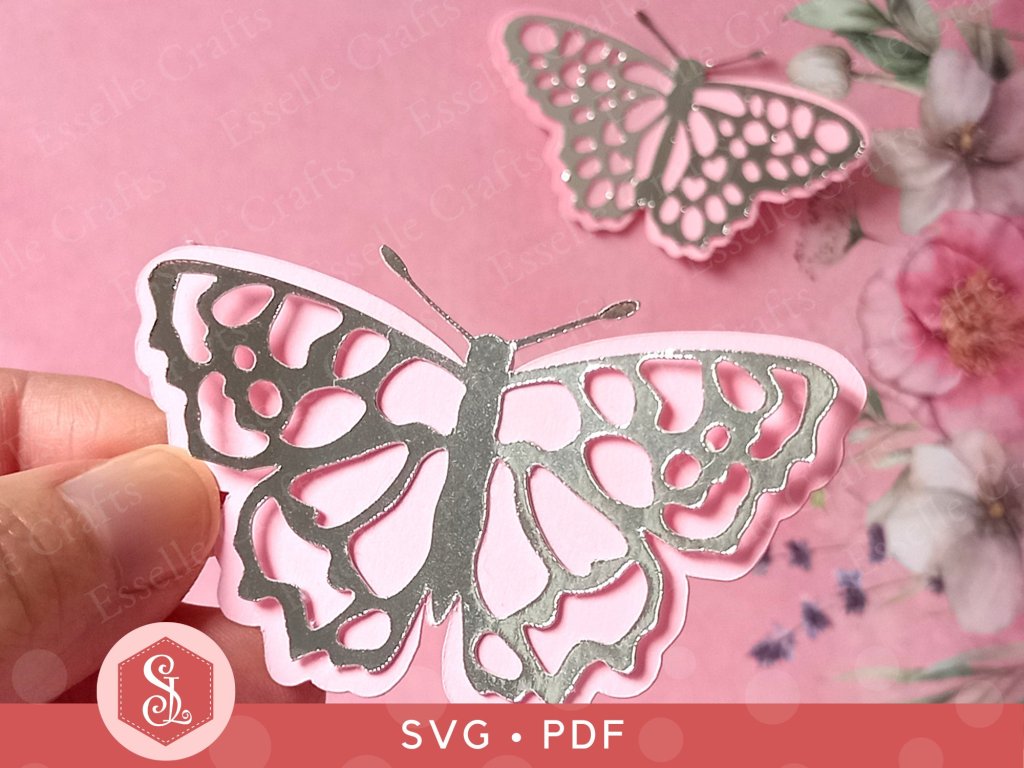
The butterflies are super easy to assemble (consisting of only two layers) and look amazing with the top layer cut out of mirror card.
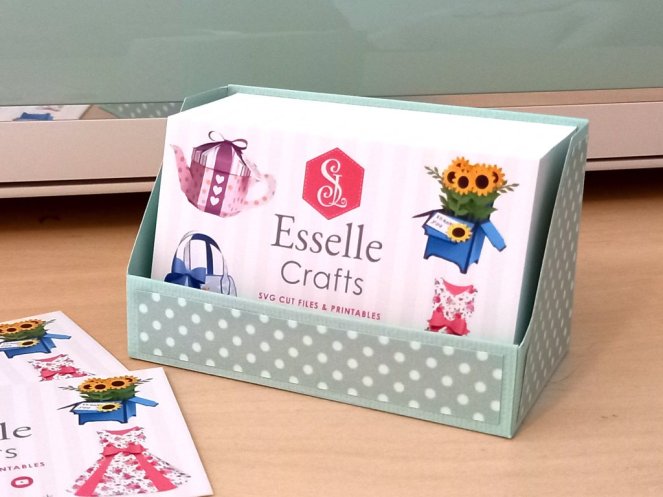
I recently updated my business card design to include my new website and some of my favourite 3D papercraft projects, and I’m so pleased with how it’s turned out!
So, this got me thinking … How can I safely store and present my lovely new set of 100 business cards, whilst keeping consistent with my brand?
And, of course, it had to be a handmade box!
This is how I made it …
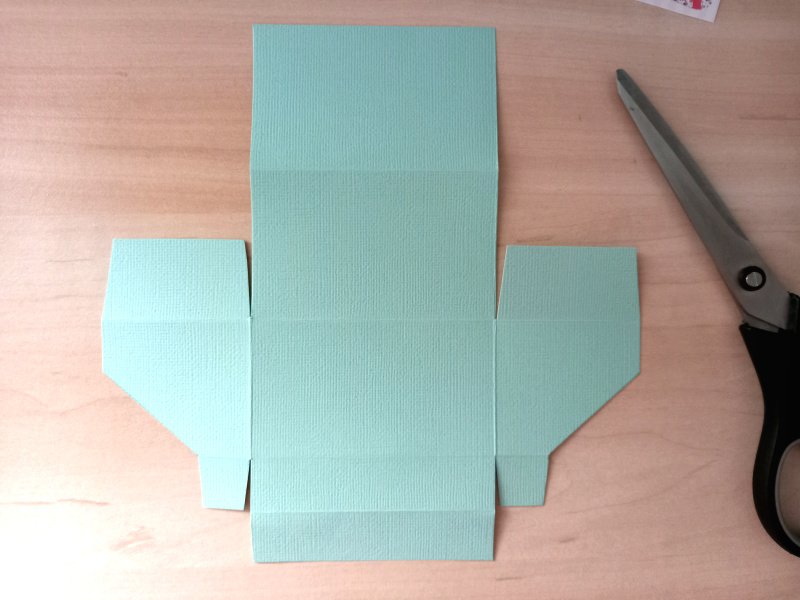
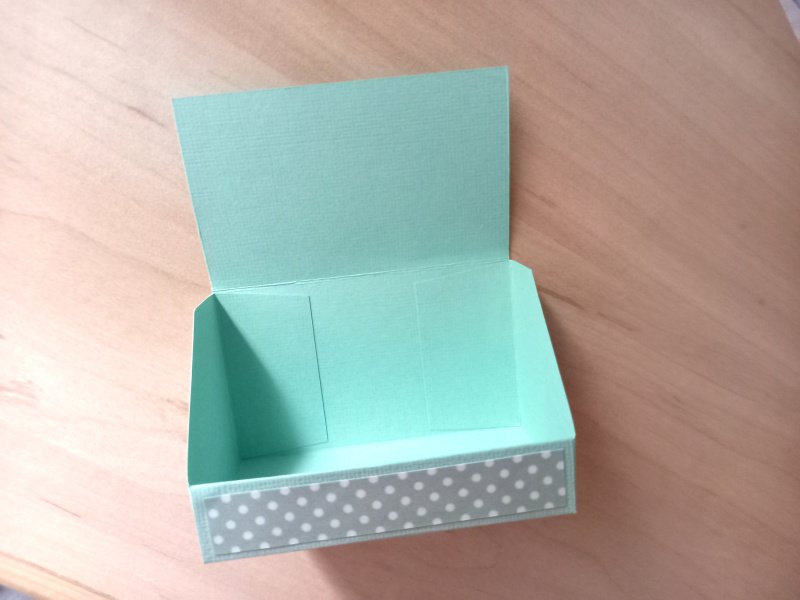
I started by measuring the set of cards and worked out that I needed a 20cm x 20cm piece of cardstock. I chose the lovely vintage mint green colour to match my brand (and my Cricut Explore 🥰). I then used my scoring board to score the lines shown below and drew the diagonal lines at the sides with a pencil.
I folded and burnished the score lines, then cut the tabs as shown below.
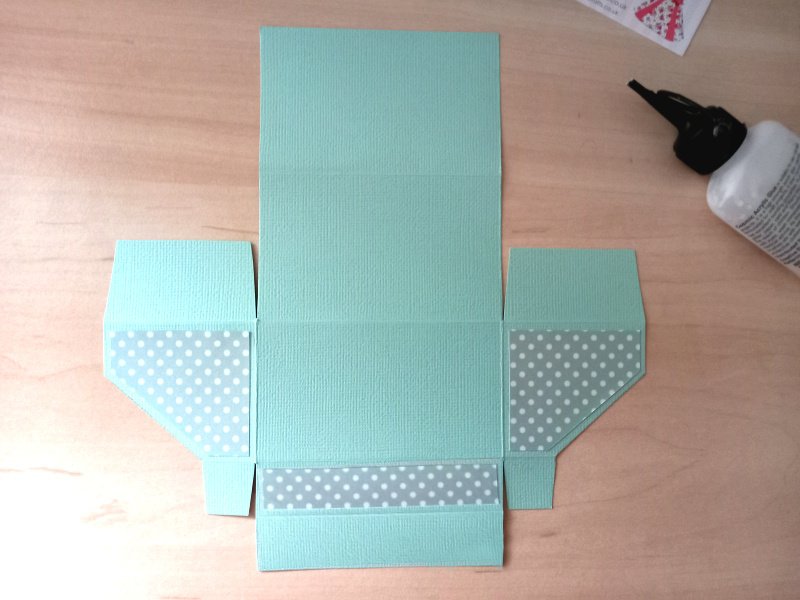
Next, I added some patterned paper panels to the front (measuring 8.5cm x 1.5 cm) and the two sides (measuring 4.5cm x 5cm with the diagonal lines at 1.5cm).
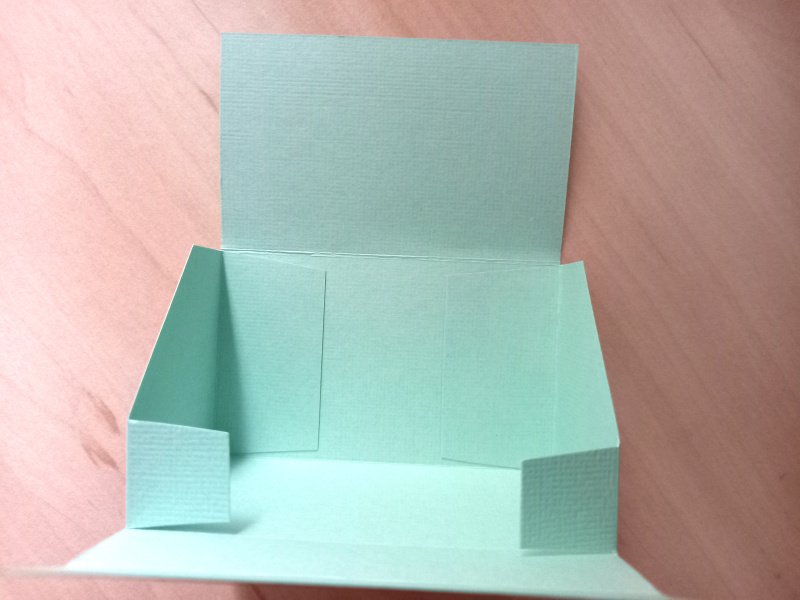
I then glued the two larger side tabs to the back.
Then glued the two smaller tabs to the front and folded the front over, gluing it in place for a neat finish.
I did the same with the back, folding it over and gluing it in place. This also gives the back extra strength.
I love how it looks, and I know that my business cards will now be safe and nicely presented for anyone who wishes to take one 🥰
In anticipation of warmer, sunny days and with Mother’s Day on the horizon, I have created this pretty printable rose tea party set!
Consisting of a beautiful teapot box with removable lid and a matching teacup and saucer these easy to assemble favour boxes are certain to delight and will be the talk of the party!
I’ve also included a larger version of the saucer, which will make a perfectly matching tea plate / side plate, just right for holding wrapped chocolates or biscuits!
The templates are available as full colour PDFs and are designed for use on A4 photo quality paper (white, glossy 220-250gsm / 80-90lb recommended), however they can be re-sized before printing. All of the instructions are written clearly in English.
To make your very own rose favour box tea set, you will need:
* Rose Tea Party Set templates (PDF) * Computer and printer to print the PDF templates * Plain white cardstock or photo quality paper (glossy 220-250gsm / 80-92lb recommended) * Craft glue / double-sided tape * Craft knife / scissors * Scoring tool * Ruler
Approximate dimensions of teapot box: 16cm (W ) x 10.2cm (H) x 7.8cm (D) / 6.3″ (W ) x 4″ (H) x 3.1″ (D).
Approximate dimensions of teacup: 11cm (W ) x 4.7cm (H) x 8cm (D) / 4.3″ (W ) x 1.85″ (H) x 3.15″ (D).
Approximate dimensions of tea plate: 12cm (W ) x 1.2cm (H) x 11cm (D) / 4.7″ (W ) x 0.5″ (H) x 4.3″ (D).
Watch my video tutorial showing how to assemble the boxes and be sure to follow the tips below:
TIP 1 : Printing the PDF templates onto glossy photo paper will give the boxes a realistic, shiny finish.
TIP 2 : Match the patterned hexagon with the pattern on the saucer (and the tea plate) to give it a seamless look.
TIP 3 : For the teapot lid, start at the left side and tuck the six flaps into each other so that they all meet in the centre.
You can print and make as many of these items as you wish and fill them with lots of little treats! Perfect for Mother’s Day celebrations, wedding favours, afternoon tea parties and so much more!
I really hope you like this pretty tea set and will feel inspired to create your very own!
These adorable Easter Baskets are so delightfully versatile and can be filled with chocolate eggs or other Easter treats! Easy to assemble, you can choose to make the baskets as an Easter egg or as a cute Easter bunny, then decorate them with beautiful paper flowers and bows! Plus, if you leave the handle off they become Easter boxes, perfect for table favours! 🐰
Very similar in style to my Butterfly Favour Bag there are separate panels to decorate and strengthen the front, back and two sides.
Available from my Etsy shop, the template comes as an SVG cut file, as well as a PDF if you prefer to cut out by hand.
To make one of these fabulous baskets, you will need:
* Easter Egg Baskets template (PDF and SVG available) * Computer and printer to print the PDF templates and instructions * Double-sided cardstock (220-250gsm / 80-92lb recommended) * Patterned card (220-250gsm / 80-92lb recommended) * Craft glue / double-sided tape
If you are not using a cutting machine, you will also need:
* Craft knife / scissors * Scoring tool * Ruler
Watch my video tutorial showing how to assemble the baskets:
TIP 1 : Use dimensional foam or three layers of scrap cardstock (as shown) to attach the bunny’s feet and arms to the front of the basket.
TIP 2 : Add shape to the flower pieces using a cocktail stick or a thin, round lolly stick.
TIP 3 : Make a smaller paper flower in the same colour as the bunny and glue it to the back of the basket for a cute little tail!
The baskets measure approximately 9.3cm (W ) x 16.5cm (H) x 4.3cm (D) / 3.6″ (W ) x 6.5″ (H) x 1.7″ (D), however, this is only meant as a guide, as the templates can easily be re-sized to suit your needs.
I hope that I have inspired you to create your own little Easter baskets using my template and I can’t wait to see what you fill them with!